Backbone — Next-Level Play
- 4.6
- Rating
- 500.00K
- Installs
- Free
- Price

 Analysis by App-foxy
I approached Backbone — Next-Level Play as a social gaming companion rather than just another controller app. That distinction matters. Its central idea is to make a phone feel more like a dedicated gaming device, but the real question is whether that change fits the way you already play. If you mostly use touch controls for short sessions, this may feel unnecessary. If you want a more comfortable way to play compatible mobile games and keep gaming conversations closer to your playtime, it is much easier to appreciate.
Backbone is a free social app from Backbone, rated Teen, and it sits in a category that blends mobile gaming tools with communication. It has attracted more than half a million installs, with an average rating of 4.6 from roughly 20 thousand ratings. Those figures suggest that the concept is landing well with a sizeable audience, although popularity alone does not tell me whether it is right for every phone gamer.
How I Decide Whether Backbone Is Worth Using
My first test is simple: does the app improve the way I play often enough to justify adding another layer to my setup? A controller-focused experience can make games more comfortable, but it also means carrying or attaching extra hardware, checking compatibility, and learning another interface. For someone who plays action games, racing games, platformers, or other titles where physical controls feel more natural, that trade can make sense. For someone who mainly plays turn-based games or quick puzzle sessions, touch controls may remain the more convenient option.
You May Also Like

 Blood Strike: 2.5 Anniversary
Blood Strike’s Loadouts Turn Every Drop Into a Tactical Gamble
A close look at Blood Strike’s custom loadouts: how fast access to signature weapons reshapes its battle royale rhythm, rewards preparation, and narrows the gap between fights.

 Pandora - Music & Podcasts
Pandora’s Music Is Easy to Start, but Harder to Recover
Pandora’s strength is its low-effort path from a seed to a station. Its weak spot is how much confidence it asks you to place in connection, setup, and quiet recovery.

 8 Ball Pool
 Is Built on Rivalries, Rematches, and Routine
A close look at the rivalries, rematches, shared routines, and unanswered safety questions that turn a quick pool match into a persistent mobile community.

 Samsung Music
’s Quiet Strength Is Playing What You Already Own
Its reach comes less from spectacle than from dependable access to a personal library. That simplicity is both the app’s strongest retention engine and its ceiling.

 AccuWeather: Weather Radar
AccuWeather Review: A Quick, Clear Forecast for Everyday Decisions
For everyday plans, the best forecast is the one you can understand quickly. AccuWeather makes rain timing, radar, and local conditions easy to act on, with a few trade-offs.

 Hill Climb Racing
Why Hill Climb Racing Still Turns Crashes Into One More Run
A tiny car, a bumpy hill and one more upgrade: Hill Climb Racing keeps resurfacing because its simple chaos makes every near-miss feel personal.
More From Our News Desk
View All News


The second test is social usefulness. Backbone is not interesting only because it can help turn a phone into a more serious gaming device. Its value also comes from putting gaming activity and communication closer together. I found that this changes the mood of the phone: instead of opening a game in isolation, I am more likely to think about what friends are playing, what I want to launch next, and whether a short session can become a shared one.
The third test is how much friction appears before the first enjoyable session. A good gaming companion should not make me spend longer arranging the experience than actually playing. I pay attention to how clearly the app presents games, how easy it is to move between play and social activity, and whether its extra features feel useful or merely decorative. Backbone works best when it acts as a quick starting point rather than a destination I have to manage constantly.
There is also a practical question about the phone itself. The current version is 1.15.7 and requires iOS 11 or later, so anyone using an older Apple device should check the operating system before planning around it. That requirement is not demanding for most supported devices, but it is still worth checking first, especially if this is intended for a spare phone or a family member’s older handset.
The first-session experience
What I like about this kind of setup is the change in physical feedback. Touchscreens are flexible, but they can make a game feel less precise, particularly when several actions need to happen quickly. A physical gaming accessory gives my hands a fixed place to rest and makes repeated inputs feel more deliberate. That does not magically improve a game’s design, but it can make a familiar title feel less tiring during a longer session.
I would not judge the app after opening it once and playing for a few minutes. The better test is to use it across different situations: a short break, a longer evening session, and a moment when I want to find something to play with another person. The social layer becomes more meaningful after that first novelty fades. If I only want a controller interface, I may not need every part of the app. If I want a gaming hub that helps me return to games, the broader experience becomes more relevant.
One useful habit is to treat the app as a launch point rather than as a replacement for every other gaming service. I still think about the games I already own, the platforms where I normally play, and the people I want to contact. Backbone is most effective when it reduces the distance between those activities instead of asking me to abandon my existing habits immediately.
Where Backbone wins
The strongest advantage is focus. A normal phone is built for messages, work, browsing, video, and countless interruptions. A controller-oriented setup gives gaming a clearer identity. That matters when I want to sit down and play rather than scroll through unrelated apps first. The app’s purpose is easy to understand: it helps organize the phone around gaming and social play.
It also wins for people who find touch controls physically awkward. I notice the difference most in games that depend on simultaneous movement and action. With touch input, fingers can cover part of the display and the controls can feel visually busy. A physical layout gives the hands a more stable relationship with the game. This is not a universal improvement, but it is a meaningful one for the right genres.
Another strength is the social context. A standalone controller can improve input, but it does not necessarily help me decide what to play or stay connected with gaming friends. Backbone’s social direction makes the accessory feel less like a piece of hardware and more like part of a routine. I can imagine using it when a friend sends a message about playing, when I want to compare what we are each enjoying, or when I need a quick way to move from conversation into a session.
A less obvious benefit is reducing decision fatigue. I often waste time browsing through a large library without choosing anything. A dedicated gaming space can make the next step feel more obvious. That is especially useful for someone who owns several compatible games but tends to default to the same one because opening and organizing alternatives feels like work.
There is a practical advantage for travel as well. A phone is already something I usually carry, so a controller attachment can be easier to justify than a separate handheld device. I would still think about bag space and charging, but the setup can occupy a middle ground between touch gaming and carrying a full console. For hotel rooms, waiting areas, or commutes where a longer session is possible, that balance may be appealing.
Three ways I would use it beyond the obvious
First, I would use Backbone as a “warm-up” device before a serious gaming session. Instead of turning on a console immediately, I can use the phone to play for a short period while deciding whether I have enough time for something longer. This is a small workflow change, but it helps separate genuine gaming time from aimless browsing.
Second, I would use the social side to make recommendations more actionable. Telling a friend that a game is good is vague; having a gaming-focused place to discuss what I am actually playing makes the conversation more useful. I can ask whether a title feels better with physical controls, whether it works for short sessions, or whether it is worth returning to after a break.
Third, I would use it as a test for my own gaming habits. If I attach a controller and still rarely play, the problem was probably not the lack of hardware. If I begin playing more comfortably and for longer, I have learned that input and setup were genuine barriers. That makes the app useful even as a decision tool: it helps me discover whether mobile gaming deserves a more intentional place in my routine.
Where another option may fit better
Backbone is not automatically the best choice for every mobile gamer. If your priority is the lowest possible cost, the free app may still lead to spending on compatible hardware or optional content. The listed in-app purchase price is $39.99 per item, so I would review what I am actually buying before treating the word “free” as the total cost of the experience. The important question is not only whether the app can be installed without payment, but whether the complete setup fits my budget.
Someone who already owns a dedicated handheld may prefer that device’s larger controls, longer gaming focus, or simpler separation from everyday phone duties. In that case, Backbone may feel like a second solution to a problem that has already been solved. Likewise, a console player who mainly uses the phone for messaging and casual games may not gain enough from changing the phone into a more serious gaming tool.
Touch-first players should also be realistic. Physical controls do not improve every game equally. Some mobile titles are designed around tapping, swiping, portrait orientation, or short bursts of interaction. For those games, attaching a controller can add steps without adding much comfort. I would keep using touch controls when they are genuinely the better interface rather than forcing every title into a controller-shaped experience.
The social angle can be a benefit or a distraction. If I want a quiet solo session, I may not care about community features at all. If I already have an established group on another messaging platform, moving conversations into a new gaming space may feel like unnecessary duplication. Backbone makes the most sense when the social layer supports my existing relationships, not when it asks me to rebuild them from scratch.
The real cost of switching
Switching is not just a financial decision. There is a learning cost, a storage and carrying cost, and the small mental effort of changing how I start a game. I need to decide where the accessory lives, remember to bring it when I expect to play, and accept that my phone is now doing double duty as both a general device and a gaming setup.
Compatibility should be part of that decision. Before buying anything connected to the experience, I would identify the games I actually play and confirm that the control method suits them. It is easy to be impressed by the idea of a serious mobile gaming setup and then discover that my personal library consists mostly of titles that feel perfectly comfortable on a touchscreen.
I would also consider the length of my typical sessions. For a person who plays in five-minute gaps, attaching hardware every time may be slower than simply opening a game. For someone who regularly plays for half an hour or more, the improved grip and clearer gaming focus can repay that initial step. The best fit depends less on how enthusiastic I am about gaming in theory and more on how often I will use the setup in real life.
There is a useful way to make the transition gradually. I would install the app first, explore its organization and social functions, and then track which games I return to most often. Only after that would I decide whether the full controller-oriented setup is worth it. This avoids buying based on novelty and lets the app prove whether it changes my habits.
Who should install it
I recommend Backbone to mobile gamers who want their phone to feel more intentional, especially those who find touch controls limiting or tiring. It is also a good candidate for friends who want gaming and conversation to sit closer together, rather than switching between unrelated apps every time they want to arrange a session.
I would be more cautious if you play only casual touch games, already own a handheld you use regularly, or dislike adding another social layer to your phone. In those cases, the usual alternatives may be better: continue with touch controls for convenience, use your existing console or handheld for longer sessions, or choose a simpler controller solution if social organization is not important to you.
The Teen rating is another small consideration for families. I would not treat it as a substitute for checking how a younger user communicates or what games they access. For a teenager who already understands responsible online interaction, the rating may be appropriate; for a younger child, I would prefer an adult to review the setup and social use first.
My recommendation
After using it as a gaming-focused social app, I see Backbone as a strong choice for people who want to bridge the gap between casual phone play and a more deliberate gaming routine. Its best qualities are not limited to making controls feel more serious. The bigger win is the combination of physical play, game discovery, and social context in one directionally focused experience.
My recommendation is to start with the free installation and judge it against your actual habits, not against the excitement of owning gaming hardware. Try it with the games you already return to, use the social features only if they genuinely help you, and think about the full purchase cost before committing to optional items. If the setup makes you play more comfortably and choose games more easily, it earns its place. If it merely adds another icon and another accessory to your phone, the simpler alternative is probably better.
For me, the deciding point is convenience with purpose. Backbone is most valuable when it turns a phone you already carry into a gaming routine you will actually use. It is not a universal replacement for a console, handheld, or touch controls, but for the right player it offers a more focused and social way to play without requiring a completely separate gaming device.
FAQs for Backbone — Next-Level Play
01What is Backbone — Next-Level Play, and what does it do?
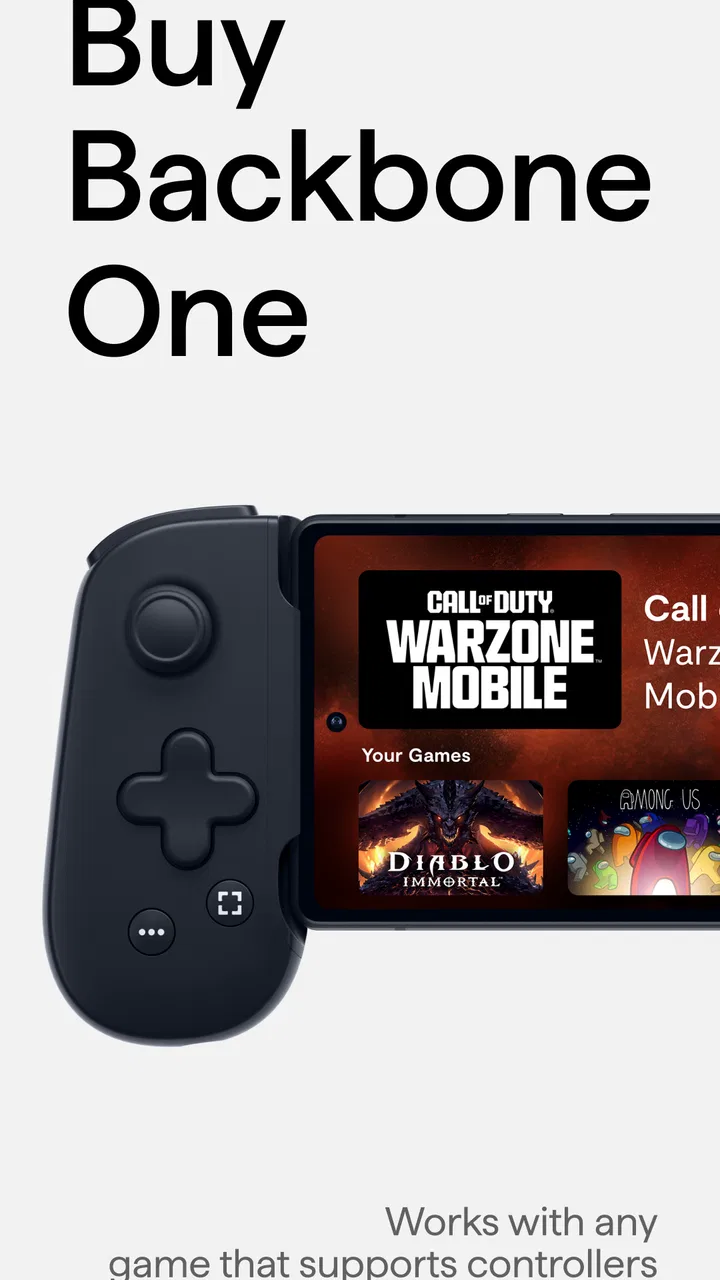
Backbone — Next-Level Play is a mobile gaming platform designed to work with the Backbone One controller and compatible smartphones. It provides a central place to launch supported games, discover new titles, manage friends, capture gameplay, and join social sessions. The app is most useful when paired with Backbone hardware, although some features may be available without owning the controller.
02Do I need a Backbone controller to use the app?
You can install and open Backbone — Next-Level Play without the physical controller, but the complete experience is built around Backbone hardware. The controller provides console-style buttons, sticks, triggers, and a more comfortable layout for supported games. Without it, you may still browse the app, use certain social features, or connect other compatible devices, but functionality can vary depending on your phone, operating system, and game.
03Which games and devices are compatible with Backbone — Next-Level Play?
Compatibility depends on your smartphone model, operating system, controller version, and the individual game. The app supports many mobile games and can also help access compatible cloud-gaming, remote-play, and subscription services. Before downloading, check the official compatibility information for your Android or iPhone, as some titles require specific controller support, a stable internet connection, or an active subscription to another gaming service.
04Does Backbone — Next-Level Play require a subscription or include extra costs?
The app may be downloaded at no initial cost, but certain features, promotions, or premium services can require a paid Backbone membership or other in-app purchase. Games accessed through cloud gaming, remote play, or subscription platforms may also have separate fees. The controller itself is purchased independently. Review the pricing shown in your app store and inside the application before starting any trial or recurring subscription.
05Is Backbone — Next-Level Play suitable for online multiplayer and remote gaming?
Yes, the app is designed to make multiplayer and connected gaming easier by offering social tools, friend management, invitations, and access to supported online or remote-play experiences. However, performance depends heavily on your internet connection, game servers, and phone hardware. For smooth remote gaming, a fast and stable Wi-Fi or mobile-data connection is recommended, while multiplayer games may require separate accounts or subscriptions.
Pros
- Excellent physical controls with responsive sticks and triggers.
- Low-latency connection delivers a console-like mobile gaming feel.
- Compact
- lightweight design is easy to carry anywhere.
- Works with many popular cloud gaming and remote-play services.
- Pass-through charging lets you charge while playing.
Cons
- Requires a compatible smartphone and may not fit every case.
- Some features depend on the Backbone app or a paid subscription.
- Controller layout may feel small for users with larger hands.
- Certain games need extra setup or do not support controller input.
- Battery-powered phones can drain faster during extended sessions.

Backbone — Next-Level Play
Gallery